StorageIQ
Your SharePoint is storing 10 versions of every file. You're paying for all of them.
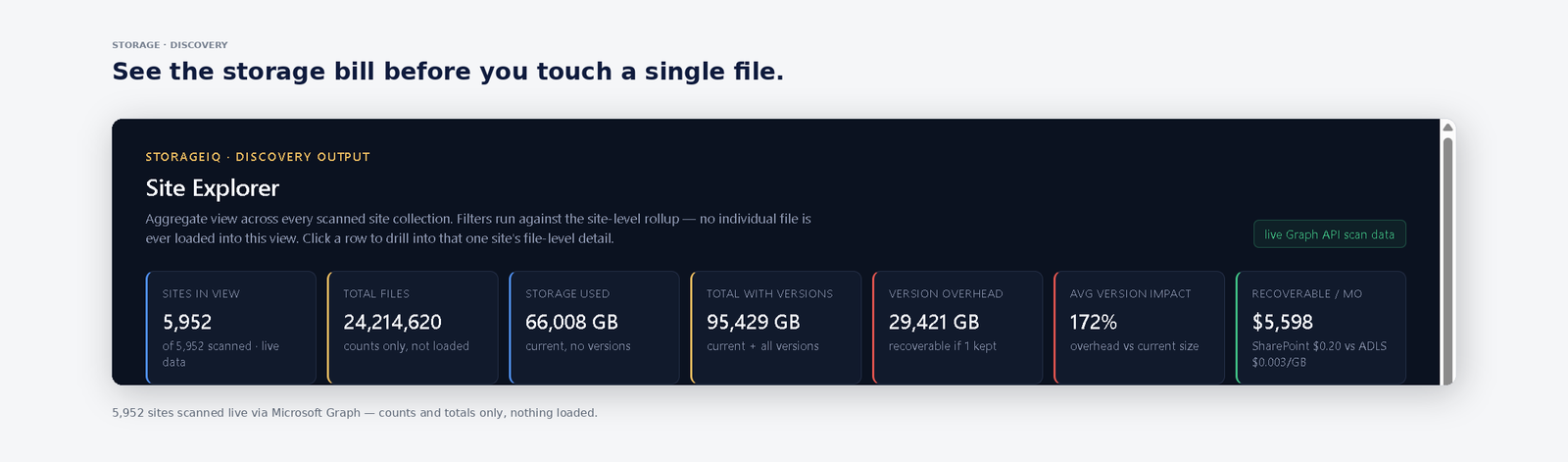
StorageIQ scans your entire Microsoft 365 tenant — every site collection, every library, every version — and shows exactly how many terabytes you can move to Azure Data Lake at 67x lower cost. No SharePoint add-on. No data leaves your tenant. First insight in under 10 minutes.
SharePoint is the most expensive place to store data that nobody reads.
Every file has 10–50 versions. You pay for every single one.
SharePoint keeps unlimited versions by default. A 10MB file edited 40 times costs you 400MB at SharePoint prices — forever. No one told you.
SharePoint storage costs 67x more than Azure cold tier.
Microsoft 365 storage add-ons run at ~$0.20/GB/month. Azure Data Lake cold tier is $0.003/GB/month. Your old versions are sitting in the wrong place.
No one knows how much is actually waste.
SharePoint Admin Centre shows total usage. It does not show version bloat, cold data age, or what's safe to move. You're flying blind on a six-figure cost line.
Tenant-Wide Version Inventory
Every site collection, every library, every file version — catalogued. Version count, version age, version size, and current storage cost per file across your entire Microsoft 365 estate. Works on tenants with 10,000+ sites.
| Site / Library | Source | Size | Versions |
|---|---|---|---|
| HR / Policies | SharePoint | 2.1 TB | 847 versions · 3y+ |
| Finance / Budgets | SharePoint | 940 GB | 1,204 versions · 18mo |
| Engineering / Releases | SharePoint | 3.8 TB | 2,891 versions · 9mo |
| Marketing / Assets | SharePoint | 428 GB | 312 versions · 1w |
| Archive / Legacy 2019 | SharePoint | 4.4 TB | no access · 4y+ |
Version Waste Cost Attribution
See exactly which departments, teams, and site owners are generating the most version overhead. Finance-ready breakdown mapped to Microsoft 365 storage billing — so you know where to act first.
Cold Data & Archive Detection
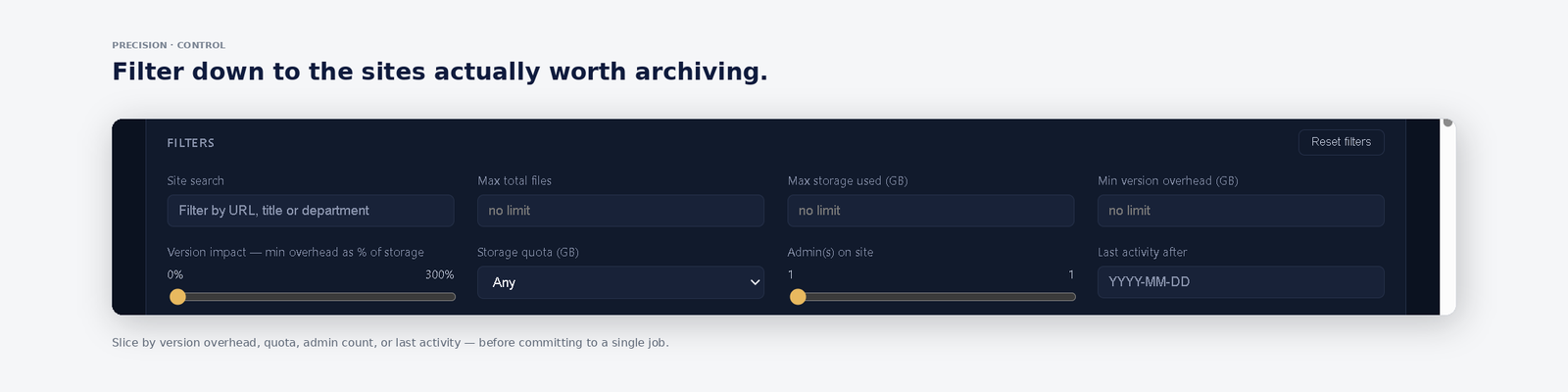
StorageIQ identifies versions older than your threshold (30, 90, 180 days), files with no access in 12+ months, and exact duplicates across libraries. Typical enterprise recovers 20–40 TB on first scan.
ADLS Migration Recommendations
Specific, file-level recommendations: what to move to Azure Data Lake cold tier, what to delete, what to keep. Projected saving per action in dollars. Your SharePoint stays clean — the data moves, not the links.
Ten minutes to your first insight.
Connect your Microsoft 365 tenant
Read-only Graph API consent. Three permissions. IT approves in 3–5 days.
StorageIQ maps every site and version
Automated scan across all site collections. Version counts, ages, and sizes confirmed from live tenant data.
See your savings. Move cold data to ADLS.
Prioritised recommendations with dollar impact. Move to ADLS cold tier at 67x lower cost — inside your own Azure.
From tenant connect to savings estimate in one session.
Live scan output from a real Microsoft 365 enterprise tenant.